Saas Business Idea Case Study #2: Jio Network Optimizer App: A Comprehensive Project Plan
In today’s hyper-connected world, mobile internet speed and stability are essential — especially for Jio users who experience connectivity…


My Mobile Telecom-Network Optimizer App
In today’s hyper-connected world, mobile internet speed and stability are essential — especially for Jio users who experience connectivity issues after long periods of inactivity.
The Mobile Network Optimizer App is designed to ensure that mobile internet remains fast, prioritized, and reliable for every user.
Whether you are a non-technical individual looking for a simple one-tap solution or a tech-savvy user wanting advanced network controls, this app aims to deliver a seamless experience that maximizes your mobile data performance.
Primary Objective:
Develop an intuitive app that keeps your Jio mobile internet connection fast and optimized, even after periods of inactivity, while also offering advanced configuration features for power users.
2. Key Features
General Features (For Non-Technical Users)
- Smart Network Pinger: Periodic lightweight network requests to keep the connection active and prevent the network from idling.
- Session Refresher: Automatically reset stale data sessions—toggling airplane mode programmatically when supported.
- DNS Optimization: One-tap DNS switching (e.g., Google DNS, Cloudflare) to lower latency and improve resolution times.
- Band Locking (Simple): One-click option to lock on preferred 4G/5G bands for a more stable connection.
- Network Health Indicator: A visual “traffic light” system (✅ Good, ⚠ Average, ❌ Poor) that provides actionable suggestions.
- Battery Saver Mode: optimizes network features while minimizing battery drain.
- Connection Alerts: Real-time notifications if the network becomes slow or unstable.
- Auto-Optimization Profiles: Predefined modes (Gaming, Streaming, Work) that automatically adjust settings for your current use case.
Advanced Features (For Tech-Savvy Users)
- Advanced Analytics: Real-time graphs and metrics (speed, ping, packet loss) to monitor your network’s performance.
- Manual Band Locking: Fine-tuned controls for selecting specific LTE/5G bands.
- Custom Ping Configuration: Adjustable ping intervals and target addresses to test network latency.
- Signal Map Integration: Visual representation of local signal strength to help identify the best spots for connectivity.
- Root Access Features: For users with advanced permissions, force TCP/IP tweaks and other optimizations.
- Geolocation-Based Optimization: Automatically adjust settings based on regional network performance data.
- Multi-Network Aggregation (Premium): Combine Wi-Fi and mobile data for improved speed and reliability.
- App Bandwidth Prioritization: Allocate bandwidth to specific applications based on user priorities.
AI-Driven Features (For All Users)
- AI Optimization Assistant: Uses real-time network trends to adjust settings automatically for peak performance.
- Crowdsourced Insights: Regional signal maps created from aggregated user data.
- Network Scheduler: Automates session refreshes and optimization cycles based on user routines.
3. Target Audience
Primary Users
- Everyday Jio Mobile Users: Individuals frustrated by slow or inactive mobile internet who need a simple, one-tap solution.
Secondary Users
- Advanced Users & Tech Enthusiasts: Those who desire detailed network analytics and advanced customization.
- Gamers, Remote Workers, and Streamers: Users with demanding, real-time connectivity needs.
4. Monetization Strategy

Free Tier (General Features)
- Features Included: Smart Pinger, Session Refresher, DNS Optimization, Basic Band Locking, and more.
- Monetization Method: Banner ads and occasional reward ads integrated into natural pauses.
Pro Tier (Advanced Features)
- Subscription Model: Monthly or yearly subscriptions for advanced features such as Advanced Analytics, Signal Map Integration, Multi-Network Aggregation, etc.
- One-Time Purchase: Lifetime premium unlock as an alternative option.
Additional Revenue Streams
- Affiliate Marketing: Partnerships with ISPs or hardware brands (e.g., JioFi devices) for cross-promotions.
- Reward Ads: Allow users to voluntarily watch ads to temporarily unlock advanced features.
5. Technical Implementation Plan

Frontend Development (Flutter)
- UI/UX Design: Develop a minimalist, user-friendly interface with intuitive navigation.
- Key Libraries:
network_info_plus: To retrieve device network details.
dio: For efficient and lightweight network pings.
flutter_background_service: To enable background tasks for continuous optimization.
Platform Channels: Implement native code for periodic network pings, airplane mode toggling, DNS switching, and signal strength monitoring.
Backend and Native Integrations (Optional)
- Firebase: Utilize Firebase for analytics, crash reporting, and secure user data storage.
- Native APIs:
Network Pings: Use platform-specific APIs for regular connectivity checks.
Airplane Mode API: Reset stale sessions programmatically when supported.
DNS Switching: Configure DNS servers using native system calls.
Signal Strength & Geolocation: Fetch real-time network data and integrate with geolocation services.
6. Development Phases and Timeline
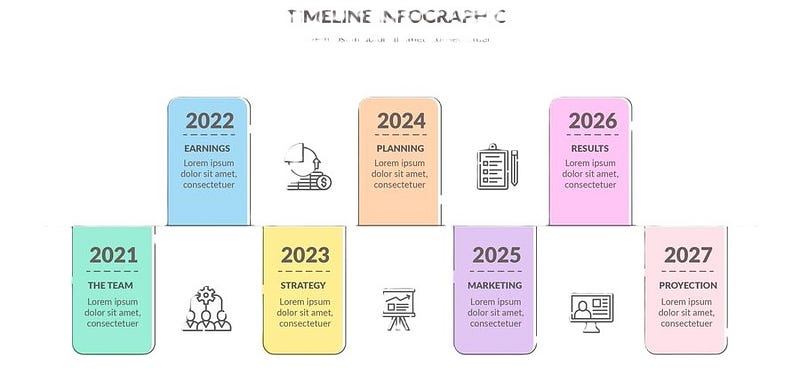
Phase 1: MVP Development (3–4 Months)
- Core Features: Implement Smart Network Pinger, Session Refresher, DNS Optimization, Basic Band Locking, and Network Health Indicator.
- UI/UX: Develop a simple, clean interface.
- Launch: Deploy the MVP on the Google Play Store.
Phase 2: Advanced Feature Rollout (4–6 Months)
- Enhancements: Add Advanced Analytics, Manual Band Locking, Signal Map, and Custom Ping Configuration.
- Community Integration: Introduce Crowdsourced Insights to build regional signal maps.
Phase 3: AI-Driven Enhancements (6–9 Months)
- Smart Automation: Develop the AI Optimization Assistant and Network Scheduler.
- Auto-Optimization: Refine and expand Auto-Optimization Profiles to adapt to different user scenarios.
7. Marketing Strategy

Pre-Launch Activities
- Landing Page: Create a dedicated page highlighting key features and benefits, with an email signup form for early access.
- Social Media Campaigns: Use engaging videos and graphics to explain common connectivity problems and how the app provides a solution.
- Beta Testing: Offer early access to tech communities, influencers, and user groups on platforms like Reddit, Discord, and Facebook groups.
Post-Launch Strategy
- App Store Optimization (ASO): Optimize keywords and visuals for better discoverability on the Google Play Store.
- User Reviews & Ratings: Encourage satisfied users to leave reviews to build credibility.
- Paid Advertising: Run targeted campaigns on Google Ads and Facebook Ads, focusing on Jio user segments.
- Community Engagement: Foster an active user community via telecom forums and social media groups.
8. User Growth and Revenue Projections
User Growth Estimation
- Initial User Base (Year 1):
Target: 50,000 users with an estimated 10,000 daily active users (DAU). - Mid-Term Growth (Year 2):
Target: 200,000 users with 40,000 DAU. - Long-Term Growth (Year 3+):
Target: 1,000,000+ users with 200,000 DAU.
Revenue Projections
Ad Revenue (Based on CPM of ₹50)
- Scenario 1 (50,000 Users):
- DAU: 10,000; Impressions/Day: 30,000
- Daily Earnings: ~₹1,500; Monthly Earnings: ~₹45,000
- Scenario 2 (200,000 Users):
- DAU: 40,000; Impressions/Day: 120,000
- Daily Earnings: ~₹6,000; Monthly Earnings: ~₹180,000
- Scenario 3 (1,000,000 Users):
- DAU: 200,000; Impressions/Day: 600,000
- Daily Earnings: ~₹30,000; Monthly Earnings: ~₹900,000
Subscription Revenue
- Assumption: 10% of the user base subscribes to the Pro Tier.
- Example Calculation (50,000 Users):
5,000 subscribers × ₹50/month = ₹250,000/month
9. Risks and Mitigation Strategies
Potential Risks
- Low User Adoption:
Mitigation: Deploy targeted marketing campaigns and build strong early adopter communities. - Technical Challenges:
Mitigation: Invest in robust testing, phased rollouts, and user feedback loops. - Competition:
Mitigation: Differentiate with a superior user experience, unique AI-driven optimizations, and proactive customer support.
Mitigation Plan
- Continuous Improvement: Regularly update the app based on user feedback and analytics.
- Partnerships: Explore collaborations with ad networks and telecom partners for enhanced monetization and market reach.
- Agile Development: Use agile methodologies and iterative development cycles to quickly address technical challenges.
10. Next Steps
- Finalize the MVP Feature Set: Identify core functionalities for Phase 1.
- UI/UX Design: Begin prototyping in tools like Figma.
- Set Up Development Environment: Configure Flutter, Firebase, and necessary native integrations.
- Kickoff Phase 1 Development: Start building core features (Smart Network Pinger, Session Refresher, etc.).
- Launch Marketing Campaigns: Build anticipation with pre-launch activities and beta testing.
- Deploy on Google Play Store: Monitor performance and gather user feedback for continuous improvement.
11. Conclusion
The Jio Network Optimizer App is poised to address a critical pain point for millions of Jio mobile users by ensuring fast and stable connectivity. With a carefully planned roadmap—from an MVP to advanced AI-driven optimizations—and a robust monetization strategy, this project not only solves a real-world problem but also paves the way for scalable growth and profitability.
As we move forward, your feedback and collaboration will be invaluable in refining this vision. Let’s work together to bring this innovative solution to life, ensuring that every Jio user enjoys uninterrupted, high-speed connectivity.
Do you have questions or would like to discuss further details? Leave your comments below or reach out directly—we're excited to collaborate on creating the next generation of mobile network optimization!
Support Me: