Why you should learn ReactJS as a Flutter developer.
I’m a Flutter developer with 2+ years of experience. I thought I would never use JavaScript. I was wrong.


I’m a Flutter developer with 2+ years of experience. I thought I would never use JavaScript. I was wrong.
My new projects needed things that Flutter mobile apps couldn’t give me:
- Speed wasn’t important—I needed websites that change content easily
- Quick updates mattered—App store updates take too long, and fixing mistakes is hard
- Google search was needed—people had to find my content online
- Browser features were required for what I wanted to build
Flutter Web looked like a good choice, but I learned it’s great for web apps, not websites. For websites that need good Google search results, it wasn’t right.
Why I Didn’t Want to Learn JavaScript
Flutter has clear rules and good patterns for building apps. JavaScript seemed messy to me. I thought people only used JavaScript because they had no other choice.
I tried other options first:
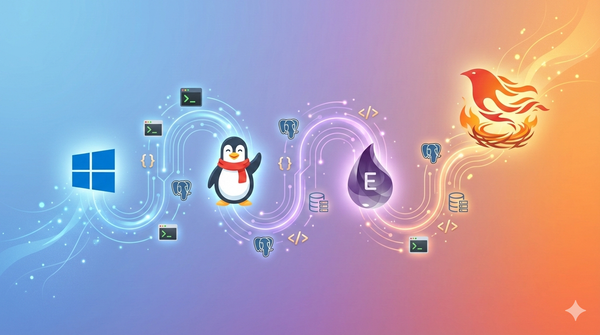
Phoenix (Elixir): Too hard for someone new to web development. Don’t start here if you’re a beginner.
Jaspr: This uses Dart (like Flutter), so it seemed perfect. But I realized that to build good websites, you need to understand basic web development first. Alternative frameworks can’t replace this knowledge.
The Change: Accepting I Was Wrong
One simple thought changed everything: Companies like Figma and Quadratic build amazing products using these (JS) frameworks.
Maybe the problem wasn’t the technology—it was my thinking.
I wanted the “perfect” tool instead of the “right” tool for my job.
So, it's time to give mainstream web frameworks a chance.
My “Binge Learning” Method: Learning Like Watching Netflix
Let me explain how I learn new skills—this made my React transition possible.
I call it “binge learning.” When I want to learn something new, I treat it like watching a TV series I love: I focus completely, practice a lot, and keep going until I understand the main ideas.

Why This Works for Me
My idea is simple: understand how the framework thinks first, then practice by building real projects. I prefer getting the full picture quickly instead of learning slowly over months.
The good points:
- Keep momentum—switching between learning and other work kills focus
- See patterns—learning intensively shows how framework parts connect
- Understand concepts—focus on “why” before “how.”
- Start building fast—once you get the ideas, you can start making things
Research Supports This Method
Studies show this approach works:
- Flow State: Continuous learning creates deep focus where you learn faster
- Immersion Learning: Like learning languages, intense practice builds stronger brain connections
- Chunking Theory: Learning related ideas together helps your brain group and connect them
- Transfer Learning: My Flutter knowledge helped my brain quickly connect React concepts to things I already knew
How I Applied This to React
I spent 2–3 hours every day for two weeks straight, learning:
- Basic concepts (components, JSX, props)
- State management (useState, useEffect)
- Advanced hooks (useContext, useReducer)
- The ecosystem (routing, styling, state management libraries)
The important part was keeping momentum without breaks that would make me lose focus.
The Important Warning
I’m honest about this: intensive learning gets you 40% of the way quickly, but real mastery comes from building actual projects. This method helps you learn skills and understand frameworks fast—but you need more practice for real work.
The Big Discovery: React and Flutter Are Very Similar
After my learning sprint, I saw that React and Flutter are much more alike than different:
Building Blocks:
Flutter: Widgets
React: Components

State Management:
Flutter: setState()
React: useState()

Lifecycle:
Flutter: initState, dispose
React: useEffect

Global State:
Flutter: Provider/Riverpod
React: Context/Redux

Conditional Rendering:
Flutter: Conditional widgets
React: Conditional JSX
Flutter StatefulWidget vs React Function Component
Flutter:
class Counter extends StatefulWidget {
  @override
  _CounterState createState() => _CounterState();
}

class _CounterState extends State<Counter> {
  int _count = 0;

  void _increment() {
    setState(() {
      _count++;
    });
  }

  @override
  Widget build(BuildContext context) {
    return Column(
      children: [
        Text('Count: $_count'),
        ElevatedButton(
          onPressed: _increment,
          child: Text('Increment'),
        ),
      ],
    );
  }
}
React:
function Counter() {
  const [count, setCount] = useState(0);

  const increment = () => {
    setCount(count + 1);
  };

  return (
    <div>
      <p>Count: {count}</p>
      <button onClick={increment}>Increment</button>
    </div>
  );
}
The patterns are very similar—just different syntax.
Learning Plan for Flutter Developers (Using Binge Learning)
Based on my method, here’s what I recommend:
Learn This First
Before anything else: Learn basic HTML/CSS. This will help you understand how websites work. It doesn’t matter if you want to do frontend or backend development. This is fundamental knowledge.
Week 1: Basic Concepts
- Days 1–2: Components, JSX, props (think: StatelessWidget → Function Component)
- Days 3–4: State management with hooks (setState → useState)
- Days 5–7: Effects and lifecycle (initState/dispose → useEffect)
Week 2: Advanced Ideas
- Days 8–10: Context API and global state (Provider → useContext)
- Days 11–12: Custom hooks and patterns
- Days 13–14: Build a complete small project
The Most Important Thing: Don’t Stop
Don’t spread this learning over months. Learning intensively helps you see patterns and connections that slow learning misses.
Pro tip: Write down your “Flutter vs. React” thoughts right away while they’re fresh in your mind.
Common Problems for Flutter Developers
- JavaScript’s loose typing vs Dart’s strict typing (use TypeScript!)
- Different async patterns (Promises vs Futures)
- CSS styling vs programmatic styling
- Browser-specific things to consider
The Big Picture: Find Your Learning Style
This journey taught me something important: there’s no universal “right” way to learn. My intensive binge-learning method works because:
- It fits my personality—I like deep focus instead of scattered attention
- It uses transfer learning—my Flutter knowledge made React learning faster
- It creates momentum—quick wins build confidence for harder concepts
- It’s honest about limits—I know when to go deep vs when to move fast
If you’re a Flutter developer unsure about React, think about your own learning style:
- Intensive learning like me (2-week sprint)
- Slow and steady (30 minutes daily over 3 months)
- Project-based learning (learn by building)
The important thing is being intentional about your approach instead of learning randomly.
What I Learned: A New Way of Thinking
This journey completely changed how I think about learning and choosing tools.
By getting past perfectionism, I can now see the bigger picture. We shouldn’t always look for the perfect tool—we should look for the right tool for the job.
If everyone uses something, maybe it’s better to understand why instead of fighting it.
Going outside your comfort zone makes you a better developer and person. The resistance I felt was actually growth waiting to happen.
For other developers with similar doubts: Your skepticism might be stopping you from growing. Sometimes the most popular solution is popular for good reasons.
Useful Resources That Helped Me Learn
Complete Web Development:
- Frontend Developer Roadmap—Complete learning path guide
- The Complete Web Development Bootcamp—Good foundation course
CSS Skills:
- Kevin Powell’s Courses—Great CSS and responsive design
- Kevin Powell YouTube—Weekly CSS tips and tricks
- Advanced CSS and Sass—Advanced styling techniques
React Learning:
- React—The Complete Guide—Complete React ecosystem
- JavaScript Mastery—Project-based modern web development
Have you switched between frameworks like this? What surprised you most? Tell me about your experience in the comments.
Thank you for being a part of the community
Before you go:
- Be sure to clap and follow the writer ️👏️️
- Follow us: X | LinkedIn | YouTube | Newsletter | Podcast | Twitch
- Start your own free AI-powered blog on Differ 🚀
- Join our content creators community on Discord 🧑🏻💻
- For more content, visit plainenglish.io + stackademic.com