Flutter: How I optimized my ListView of images from URL.
Ever had your Flutter ListView glitched and stutter as images load concurrently? On one of my apps, a >200‑item list would spike from…


How I optimized a large list of network images. Part 2: Optimizing Image Fetching & Rendering.
Ever had your Flutter ListView glitched and stutter as images load concurrently?
On one of my apps, a >200‑item list would spike from ~100 ms/frame down to 16 ms/frame by combining local caching, per‑item micro‑state, and single‑widget rebuilds. Here’s how.
In the previous Part 1, I had discussed how I designed my schemas for Isar and Firebase to store the URL images on it.
🐞 1. The Problem & Baseline
Without optimizations, loading each image from the network or disk on scroll:
- Blocks the main thread, causing dropped frames and janky scroll.
- Rebuilding the entire widget tree on each Cubit state change causes a glitch from repeated rendering of the entire listview of images.
- Fetches the same image repeatedly if not cached locally and further at the app session level.
Baseline metrics (Redmi Note 7 Pro)
- Average frame build time: ~100 ms
- Jank spikes on fast scroll: 5–10 drops/sec
🔍 2. High‑Level Solution Overview
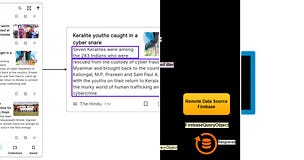
- Cache-first fetching with Isar local DB
- Storing Image Data at App Session Level using
Cubits - Per-image micro-state using
ValueNotifier<NetworkImageCacheModel> - Widget-level rebuild avoidance via
ValueListenableBuilder
⚙️ 3. Part A — Local DB:LocalImageDataSource
Why Isar? Lightweight, fast, Dart‑native. We store each image’s Base64 bytes on first fetch, then read from disk on subsequent requests.
Key takeaway: Using a local cache avoids network calls on every scroll.
class LocalImageDataSource {
  Isar? _isar;

  Future<void> _initializeIsar() async { /* open Isar instance */ }

  /// Fetch cached bytes for [url], or null.
  Future<Uint8List?> getImageData(String url) async {
    await _initializeIsar();
    if (_isar == null) throw LocalDBException('Isar not initialized');

    final record = await _isar!
      .collection<UrlImage>()
      .filter()
      .imageUrlEqualTo(url)
      .findFirst();

    if (record == null) return null;
    return StringUtils.convertBase64ToUint8List(record.base64ImageBytes);
  }

  /// Cache image bytes under [imageUrl].
  Future<void> addImageData({
    required String imageUrl,
    required Uint8List imageBytes,
  }) async {
    await _initializeIsar();
    if (_isar == null) throw LocalDBException('Isar not initialized');
    await _isar!.writeTxn(() async {
      final urlImages = _isar!.collection<UrlImage>();
      await urlImages.put(UrlImage.fromBytes(
        imageUrl: imageUrl,
        bytes: imageBytes,
      ));
    });
  }
}
🔄 4. Part B — Micro‑State: NetworkImageCacheCubit
Instead of a flat Map<String, NetworkImageCacheModel>, we wrap each model in a ValueNotifier. This lets us:
- Emit one Cubit state on add, then
- Update only that notifier’s value when bytes arrive, without re‑emitting the entire state.
Note: Map<String, NetworkImageCacheModel> maps imageUrl to NetworkImageCacheModel.class NetworkImageCacheState extends Equatable {
final Map<String, ValueNotifier<NetworkImageCacheModel>> imagesData;
const NetworkImageCacheState({required this.imagesData});
// ... copyWith, props ...
}
class NetworkImageCacheCubit
extends Cubit<NetworkImageCacheState> {
final LocalImageDataSource _localDS = LocalImageDataSource();
NetworkImageCacheCubit()
: super(const NetworkImageCacheState(imagesData: {}));
Future<void> addImage(String url, {required bool compress}) async {
final dataMap = {...state.imagesData};
dataMap[url] = ValueNotifier(NetworkImageCacheModel(
loadingState: LoadingStates.loading,
imageUrl: url,
));
emit(state.copyWith(imagesData: dataMap));
final fromDisk = await _localDS.getImageData(url);
final bytes = fromDisk ??
await UrlParsingService.fetchImageAsUint8List(
url, maxSize: 2 * 1024 * 1024, compressImage: compress, quality: 75
);
final notifier = state.imagesData[url]!;
if (bytes == null) {
notifier.value = notifier.value.copyWith(
loadingState: LoadingStates.errorLoading,
);
} else {
notifier.value = notifier.value.copyWith(
loadingState: LoadingStates.loaded,
imageBytesData: bytes,
);
if (fromDisk == null) {
await _localDS.addImageData(imageUrl: url, imageBytes: bytes);
}
}
}
ValueNotifier<NetworkImageCacheModel>? getImageData(String url) =>
state.imagesData[url];
}Key takeaway: Emitting one Cubit state up front, then mutating only the single ValueNotifier cuts down on redundant rebuilds.🖼️ 5. Part C—Widget Diorama:NetworkImageBuilderWidget
Instead of wrapping your entire list tile in a BlocBuilder, use BlocBuilder only to get or create the notifier, then a ValueListenableBuilder to listen only to that item:
class NetworkImageBuilderWidget extends StatelessWidget {
  final String imageUrl;
  final bool compress;
  // optional builders omitted for brevity

  @override
  Widget build(BuildContext ctx) {
    return BlocBuilder<NetworkImageCacheCubit, NetworkImageCacheState>(
      builder: (ctx, state) {
        final cubit = ctx.read<NetworkImageCacheCubit>();
        var notifier = cubit.getImageData(imageUrl);
        if (notifier == null) {
          cubit.addImage(imageUrl, compressImage: compress);
          notifier = cubit.getImageData(imageUrl)!;
        }
        return ValueListenableBuilder<NetworkImageCacheModel>(
          valueListenable: notifier,
          builder: (ctx, model, _) {
            switch (model.loadingState) {
              case LoadingStates.loading:
                return const Center(child: CircularProgressIndicator());
              case LoadingStates.errorLoading:
                return IconButton(
                  icon: const Icon(Icons.refresh),
                  onPressed: () => cubit.addImage(imageUrl, compressImage: compress),
                );
              case LoadingStates.loaded:
                return Image.memory(model.imageBytesData!);
            }
          },
        );
      },
    );
  }
}
Key takeaway: Only one ValueListenableBuilder per list item rebuilds when that image’s state changes.🚀 6. Performance Results
Metric
1. Avg. frame build time
- Before Optimizations: ~100ms
- After Part 2: ~16ms
2. Jank drops per second (fast scroll)
- Before Optimizations: 5–10
- After Part 2 : 0–1
3. Network Call per image
- Before Optimizations: 1–2
- After Part 2: 0 (cache hit on disk)
Real‑world test: Scrolling a 200‑item ListView on Redmi Note 7 Pro went from “janky” to “buttery smooth.” with unnoticeable glitch.⚠️ 7. Lessons Learned & Gotchas
- Don’t fetch all images at once. Even with micro-state, 100+ concurrent I/O ops can still block.
- Beware large in‑memory cache. Storing many MBs in RAM can cause GC pauses.
- Clean up old cache If your URL list is dynamic, consider TTL for cached images.
A “TTL” (Time‑To‑Live) on a cache entry simply means you give each cached image an expiration timestamp, and once that timestamp is passed you treat the image as “stale” and re‑fetch/re‑cache it. That way, if your list of URLs is dynamic or images change on the server, you won’t keep showing an out‑of‑date picture forever.
🔜 8. Further Optimization: Throttling with a Simple Queue
Even with micro‑state, 100+ simultaneous I/O ops can still block.
Here’s a minimalist in‑Bloc queue to process up to N fetches at a time (e.g., N=5):
class NetworkImageCacheCubit extends Cubit<NetworkImageCacheState> {
  final _queue = Queue<String>();
  bool _isProcessing = false;
  final int _maxConcurrent = 5;

  Future<void> addImage(String url, {required bool compress}) async {
    state.imagesData[url] = ValueNotifier(/* loading */);
    emit(state.copyWith(imagesData: state.imagesData));
    _enqueue(url, compress: compress);
  }

  void _enqueue(String url, {required bool compress}) {
    _queue.add(url);
    if (!_isProcessing) _processQueue(compress);
  }

  Future<void> _processQueue(bool compress) async {
    _isProcessing = true;
    var inFlight = 0;
    while (_queue.isNotEmpty && inFlight < _maxConcurrent) {
      final url = _queue.removeFirst();
      inFlight++;
      // fire-and-forget, when done decrement inFlight and re-enter loop
      _fetchAndNotify(url, compress).whenComplete(() {
        inFlight--;
        if (_queue.isNotEmpty) _processQueue(compress);
        else if (inFlight == 0) _isProcessing = false;
      });
    }
  }

  Future<void> _fetchAndNotify(String url, bool compress) async {
    final bytes = await _localDS.getImageData(url) ??
      await UrlParsingService.fetchImageAsUint8List(url, /*…*/);
    final notifier = state.imagesData[url]!;
    notifier.value = notifier.value.copyWith(
      loadingState: bytes==null ? errorLoading : loaded,
      imageBytesData: bytes,
    );
    if (bytes!=null) await _localDS.addImageData(imageUrl: url, imageBytes: bytes);
  }
}
Approach:
- Enqueue every requested URL.
- Process up to
_maxConcurrentat once. - Recursively continue until the queue is empty.
- Adjust
_maxConcurrentto tune CPU/I/O load.
Further, we’ll
- Prioritize images that enter the viewport first using VisibilityDetector.
- Further reduce main‑thread pressure with isolate‑based decoding.
If you find this helpful, please leave a clap or comment; it helps me and helps Medium know to show this to more developers.
Subscribe to my free Medium Newsletter to get Email Notifications on my upcoming tutorials.

Additional Resources and Further Reading
Links to Related Articles: